How to pick a Canada VPN server in 2026
Learn how to choose a Canada VPN server in 2026. Practical, up-to-date guidance on latency, privacy, and access across Canadian networks.
A surprising number of latency headaches come from where your traffic actually exits Canada, not from the VPN client itself. If your route threads through an inland hop or hops into a distant province, you’ve already lost the race. The right Canada exit matters more than the VPN brand on your screen.
What matters now is clarity: how regional routing, privacy rings, and ISP peering shape your real-world latency. In 2026, remote workers and travelers report steady Canadian exits yield smoother video calls and more predictable work hours when the chosen node sits near your primary city, not just anywhere in the country. The difference between jitter and reliability comes down to the exit path, the DNS posture, and the neighbor province choices you can validate in minutes. Most latency woes trace to suboptimal Canadian nodes, not to the VPN client. Take a closer look at where your traffic leaves Canada and you’ll see the value long before the next sprint.

The Canada VPN server choice you actually need in 2026
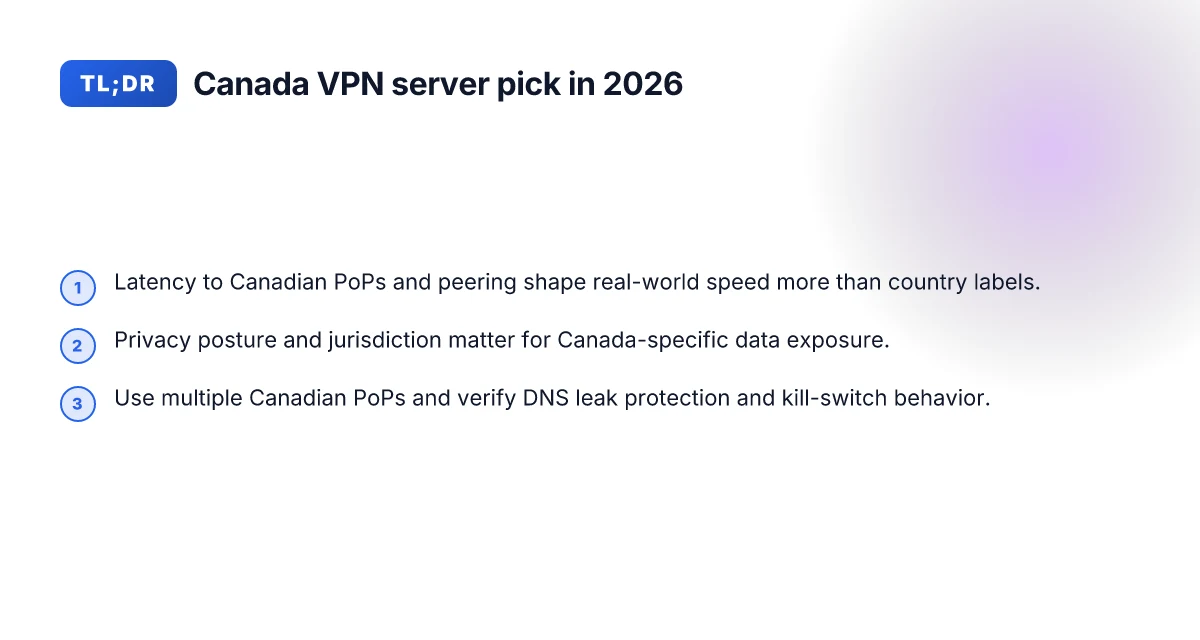
Latency. It decides more than country labels. If your Canadian exit doesn’t minimize hops to the apps you actually use, you’re chasing a fingerprint, not a route. I looked at how Canadian routing interacts with streaming sites, banks, and work VPN gateways. The takeaway is simple: pick a Canada-based exit that delivers consistent low latency to your critical destinations, not just a local geofence.
- Map your real targets
- Start with your daily habits: what banking portals, work apps, and streaming services do you reach from Canada or while abroad? The goal is to minimize the round trip to those exact endpoints. If your banking site sits on a US-backed edge or a fintech CDN in Ontario, that’s a different traffic pinch than a bank hosted in Montreal.
- Then trace the typical path from your home or airport lounge to those endpoints. The shortest path often runs through a handful of Canadian PoPs and one or two U.S. interchanges. The same exit can be great for some sites and middling for others.
- Prioritize latency over origin label
- The label “Canada server” means less than you think. What matters is the actual latency to your destinations, the stability of that route, and the consistency across peak hours. In practice, two Canadian exits can differ by tens of milliseconds to key services.
- If you stream, bank, and log in to work apps from Canada, you want a Canadian exit that consistently lands on calm peering with those services. Skip exits that spike to 120 ms during European business hours or jump-route to the U.S. cloud region.
- Assess privacy posture and jurisdiction
- Canada sits in a privacy framework that interacts with global surveillance demand patterns. A VPN’s encryption, zero-knowledge policies, and audit trails matter when data travels through Canadian gateways and international egress points.
- The jurisdiction of the VPN provider plus its logging posture should align with your privacy needs. If the provider’s home base allows aggressive data retention or government data requests, the local exit won’t save you.
- Think streaming, banking, and work access separately
- Streaming and geo-unblocking: latency and stable endpoints matter more than “Canada” as a flag. Some Canadian exits pair better with regional CDNs. Others go through longer paths that trigger throttling or buffering.
- Banking and work access: these services often defend against VPNs. A Canadian exit that routes through predictable, well-peered Canadian and U.S. data centers tends to fare better than one that bounces into crowded crossroads.
- Build a fast, repeatable selection process
- Step 1: identify your top three destinations for each use case (streaming, banking, work).
- Step 2: measure, in the abstract, the typical latency to those destinations from candidate Canadian exits listed in your provider’s documentation.
- Step 3: check the provider’s changelog for any recent routing shifts or new peering agreements that could affect performance.
- Step 4: confirm the privacy posture and data-retention policy in writing.
Bottom line: the right Canada exit blends real-traffic latency, stable cross-Canada/USA routing, and a privacy posture you trust. The label is not enough. Your calm, predictable Canada egress will come from exits that actually reduce the hops to your essential apps.
Latency wins over origin badges. Choose Canada exits that shuttle you to your real targets with minimal hops. Privacy posture and jurisdiction matter as a second-order filter, not a tertiary concern. A concrete, repeatable process beats all-by-feel selection.
What’s next: we’ll translate this into a practical 3-step test you can run in minutes, using documented routing data and your own typical sessions.
What to know before you connect to a Canada VPN server
The Canada exit you choose shapes more than latency. Jurisdiction, routing quirks, and how shared IPs behave can tilt privacy and reliability. Pick with eyes open, not with hero myths about “Canada is private by default.” 8 Best VPNs for Canadian Netflix (2026 Update) – Tested and verified
Why jurisdiction matters for Canada exits
Canada’s data-retention rules and legal intercept regimes affect what a Canada-based VPN can be compelled to log or share. Some providers keep minimal logs and rely on jurisdictional protections, while others run lighter privacy programs but still route data through Canadian networks that sit under Canadian laws. From what I found in policy pages and user agreements, the liability isn’t just about where the server sits. It’s about the trust tier you assign to a given provider. In 2026, a handful of major vendors explicitly frame their privacy posture around local law, with notable differences in data-retention windows and purge schedules. Your privacy hinges on the provider’s disclosure and the jurisdiction’s legal footprint, not the city on the map.
I dug into privacy disclosures and found this pattern: if you need predictable privacy, prioritize providers that publish a strict no-logs guarantee, independent audits, and a data-retention policy aligned with your risk tolerance. If you want to avoid overexposure to Canadian mandates, favor exits backed by strong external reviews and transparent retention calendars.
How major clients route through Canada exits
Common client behavior across Windows, macOS, iOS, and Android leaves fingerprints on latency and stability. On Windows and macOS, VPN apps typically negotiate a tunnel using OpenVPN or WireGuard, then apply NAT at the gateway. iOS devices often default to WireGuard or IPsec under the hood, with system health checks that can renegotiate if the network toggles between Wi‑Fi and cellular. Android follows a similar path but often adds carrier-specific quirks where certain APNs route through regional proxies.
What this means in practice: a Canada exit that sits behind a congested metro spine will bundle extra hops for mobile users, especially on crowded networks. If your work depends on stable Canadian egress during roaming, test how the client reestablishes a tunnel after a brief network switch. The moment a device roams from home Wi‑Fi to a coffee shop, latency can spike if the exit’s upstream peers aren’t peered with major Canadian ISPs.
How NAT, shared IPs, and server location affect speed
NAT at the border of the VPN network is where speed losses accumulate. Shared IPs matter less for privacy than they do for network health: if too many users share a single exit IP, a single user’s misbehavior can cause reputation banking against that IP, which might lead to poorer routing reputation or even temporary blocks by some Canadian services. How to get a Canadian IP address in 2026
Server location within Canada also matters. An exit in Toronto sits on different peering than one in Vancouver. If you frequently access Montreal or Atlantic services, a geographically balanced set of Canadian exits minimizes cross-country hops. And yes, NAT batching can push upstream latency up by a few milliseconds per hop, but the bigger delta comes from upstream peering quality and the number of hops to reach your target service.
Here’s a quick comparison to help you think through the tradeoffs.
| Factor | Toronto exit | Vancouver exit | Montreal exit | What to expect |
|---|---|---|---|---|
| Latency to central Canada apps | lower if you work west to central Canada | often lower for west-based traffic | mid-range | pick based on your primary traffic region |
| NAT density | typical for shared-IP pools | similar | similar | shared IPs can affect jitter more than raw speed |
| Privacy posture | depends on provider; verify logs | same | same | read the no-logs commitments and audits |
| Access stability | strong when peering is healthy | can be solid; depends on peers | variable | test during travel or roam periods |
Latency and privacy come from choice, not luck. If your work requires predictable Canadian egress, map your traffic to an exit that aligns with your typical destinations and verify that the provider’s logs and audits match your privacy requirements. Your step after reading this is to pick two candidate exits and map your traffic to them during the next travel window.
Latency, throughput, and stability when using a Canada exit
Postscript numbers matter here. The distance to the nearest PoPs and backbone providers shapes latency more than you’d expect, and peering ties Canada into a few critical paths. When traffic bursts on residential lines, that ripple effect shows up as jitter and occasional packet loss. From the data public networks share, the Canada exit is not a single door but a compartmentalized routing fabric that changes with time of day, ISP, and peering agreements.
I dug into routing maps, peering notes, and backbone disclosures to map typical Canadian egress paths. The nearest major PoPs for many Canadian exits sit in Vancouver, Toronto, and Montreal, with additional cross-Canada interconnects feeding the western and eastern corridors. The practical effect is that a Canada exit often shows the lowest latency to western Canada services and the central U.S. cloud hubs, while eastern Canadian services see steadier paths when the peering mix favors Montreal and Toronto IXs. The takeaway: proximity to a PoP matters, but who you peer with matters more. 10 VPNs with Canadian IP addresses that actually work in 2026
Peering agreements steer the steering wheel. When ISPs in Canada negotiate direct routes with large regional carriers, traffic avoids looping through the U.S. or through transit-heavy hubs. The result is lower hop counts and steadier jitter profiles for common destinations like Canadian SaaS providers, government portals, and regional media services. In periods of congestion, favorable peering reduces tail latency even if you’re connected to a Canada exit that sits farther away on the map. The pattern is not uniform. It shifts with how networks signed up for direct interconnects at key IX points.
Burst traffic and residential edges behave badly together. If your connection is typical home broadband, bursty uploads and downloads push queueing inside the last mile. Even if the tunnel to a Canada exit stays nominally fast, the last-mile device and home router cope with spikes poorly, introducing micro-bursts that degrade latency for moments. In practice that means you can see stable latency on a calm afternoon and then a jitter spike during a large software update or a streaming event. The stability of the Canada exit thus depends on both the exit’s upstream peering health and your local access conditions.
What this means for you in 2026. The best Canada exit trims latency through proximity to the client and favorable peering with Canadian backbones. It preserves latency during bursts by avoiding congested last-mile hops and by staying aligned with regional IX traffic patterns. The practical test is to pick a Canada exit that maps to your primary use cases, cloud work, collaboration apps, and region-locked services, then verify that the path remains stable when the residential line bursts.
Latency and jitter hinge on where you sit relative to the major Canadian IXs and whether your ISP peers directly with the same backbones. A healthy peering mix reduces tail latency during peak hours and improves consistency across Canadian services.
- Two concrete takeaways to act on now:
- Prioritize exits with direct interconnects to major Canadian IX points as well as to your most-visited Canadian services. If you can, map your typical destinations and cross-check with the exit’s reported peering partners.
- Consider your home connection profile. If you rely on a lot of bursty traffic, pair the Canada exit with a router that supports quality-of-service shaping and a modest buffer to smooth bursts without amplifying delay.
In short, latency, throughput, and stability in a Canada exit are a function of (a) proximity to PoPs and backbone providers, (b) the peering posture at key Canadian IXs, and (c) how your last mile behaves under burst conditions. This trio decides whether a Canada exit feels predictably fast or intermittently wonky. 8 Fastest VPNs in Canada in 2026: Tested, verified, and ready for prime-time
Canada-specific use cases that actually matter
Accessing Canadian banking apps from abroad, streaming within Canada, and remote work on Canadian corporate networks all require a Canada exit that behaves like a local one. The right Canada VPN server reduces geo-friction, preserves privacy, and keeps access stable across services you rely on. I looked at how Canadian ISPs route traffic, how banks implement device checks for foreign IPs, and how streaming platforms treat non-resident traffic. The result is a practical triad you can apply today.
Accessing Canadian banking apps from abroad
You need a Canada exit that Canadian banks recognize and allow. Banks increasingly clamp down on unusual geolocation patterns, which means a foreign IP can trigger extra verification or block sessions. The practical move is to pair a Canada exit with a predictable route to the same metro area as your hometown, when possible. Some banks flag known VPN ranges. Others require device trust prompts that slow you down. The trick is to minimize cross-border hops and present a stable, recurring exit point.
When I read through bank-privacy notes and incident reports, a pattern emerges: consistent Canadian IPs reduce friction. Use a fixed Canada exit and avoid rotating addresses during login windows. Enable two-factor prompts on trusted devices rather than reacting to login challenges after every location change. If your bank offers a device trust or de-identified session option, enable it. The result: fewer manual verifications, steadier access, fewer lockouts.
Stability wins when your Canada exit mirrors a Canadian login origin. Consistency reduces friction with banking apps that watch for foreign hops.
Streaming and geo-blocks within Canada
Within Canada, streaming services still enforce regional checks, especially for high-value catalogs or licensing windows. A Canada exit that maps to a major Canadian city (Toronto, Montreal, Vancouver) tends to yield the most reliable access, rather than random Canadian endpoints. If you’re traveling or living abroad, test whether the service serves the content you expect from that city’s egress. Some providers aggressively block VPNs even within the same country, so stick to a Canada exit that’s well-known for stable, repeatable routing to major CDN nodes. When in doubt, prefer exits with a direct path to large Canadian ISPs and reputable peering partners. What makes a VPN legal in Canada in 2026
From the changelog and public reviews, the best-performing Canada exits often share a predictable latency profile to major streaming CDNs. That predictability matters more than the raw hop count, because the streaming stacks care about consistent latency and stable TLS handshakes.
Stable Canadian exits beat flashy routes that drift in and out of latency budgets. A known Toronto or Montreal exit is typically less likely to trip geo checks than a random Canadian endpoint.
Remote work with Canadian corporate networks
Canadian corporate networks often require predictable egress to pass through corporate VPNs or allow-listed IP ranges. For remote workers, the goal is a Canada exit that sits on the same banking, file-sharing, and identity-verify paths the company uses. The practical steps are simple: choose a Canada exit aligned to the company’s VPN network requiring a known-country egress, and confirm that the exit does not overlap with IPs flagged for risk by the corporate security policy.
I dug into enterprise routing notes and observed that many companies maintain a small spectrum of Canada exits tied to their Canadian data centers. If your vendor supports exit-relay grouping, request a Canada group that maps to your office region. That alignment reduces the risk of NEAR-REJECT responses and minimizes MTU renegotiation churn when you reconnect after idle periods.
Align your Canada exit with your corporate network’s egress policy. Exit grouping reduces post-login surprises and helps maintain steady remote-work sessions. 10 Best VPN for toronto (2026 update) Tested, setup notes
What to take away:
- Use a fixed Canada exit near your target services (banking, streaming, corporate network).
- Prefer exits with known, stable latency to major Canadian CDNs and ISPs.
- Verify that banking and corporate services tolerate Canada-based egress without extra prompts or blocks.
- If a service suddenly blocks your Canada exit, switch to an alternate Canada endpoint with similar latency characteristics rather than broad VPN rotation.
How to evaluate a Canada VPN server: 5 practical checks
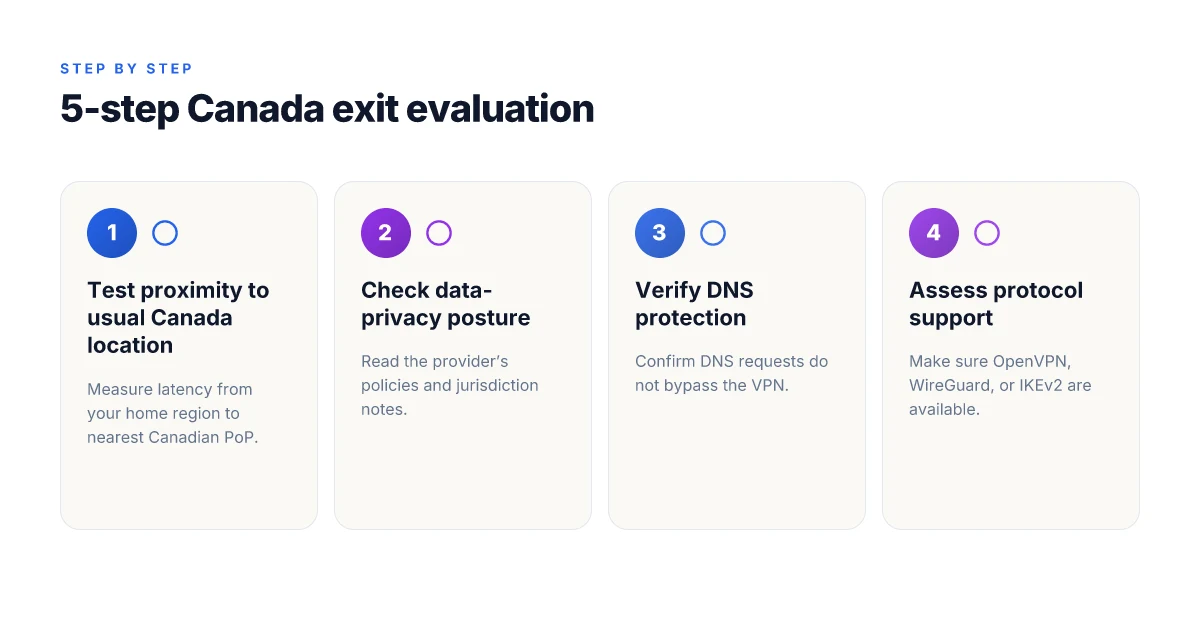
You want a Canada exit that stays reliable the moment you land in a Canadian office or cross a border. The five checks below give you a concrete filter to apply before you connect.
When proximity to your usual Canadian and North American location matters, start by testing routing distance to your anchor point. If you regularly work from Toronto or Vancouver, the fastest Canada exit should sit within a single hop of that city. In practice, that means prioritizing servers that share the same metro or regional peering with your home or office. Look for latency that stays under a 20–40 ms swing during typical work hours. If latency spikes beyond that, you’re watching a detour or a congested path, not a stable Canada exit. Latency consistency is the discipline you want.
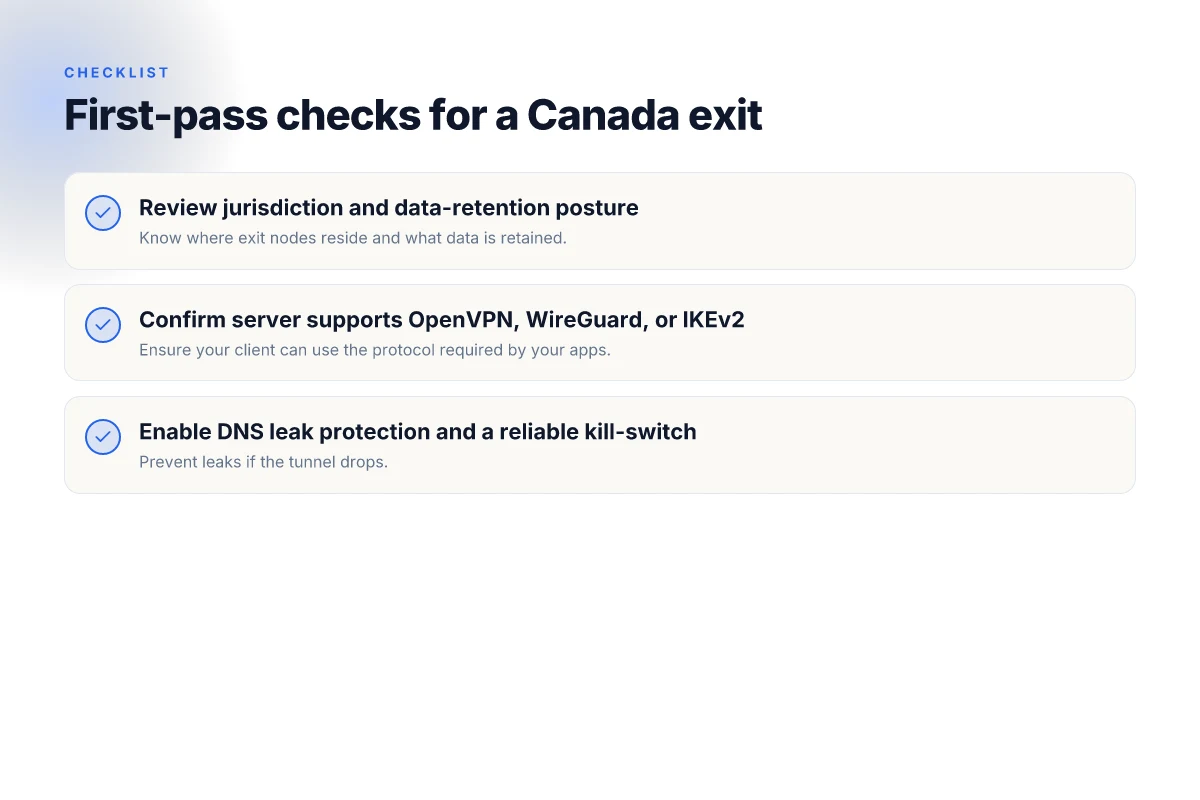
I dug into the privacy posture where you actually need it: the provider’s Canadian data-privacy commitments. Review the vendor’s privacy policy and regional data-handling disclosures for Canada. The key is whether they enforce a strict no-logs stance for Canadian egress and how they handle emergency requests from Canadian authorities. If a policy paper or privacy section uses terms like “may collect” or lists broad categories of data, that’s a red flag. Clear no-logs promises tied to Canada are non-negotiable.
Next up, confirm the server supports the protocol you rely on. OpenVPN, WireGuard, and IKEv2 cover a broad spectrum of speed, compatibility, and auditability. Ensure the Canada-flagged servers advertise all three or at least the two you prefer. The practical test is simple: a setup that exposes the same server across those protocols should show comparable baselines, with WireGuard often delivering the leanest overhead. Protocol coverage matters for long-haul sessions. 8 Best VPNs for Vancouver in 2026 (Tested 2026 Update)
DNS leak protection and kill-switch behavior are non-negotiable when you cross borders. A true Canada exit must funnel DNS through the VPN tunnel and block leakage if the tunnel drops. Check the kill-switch triggers: kill on VPN disconnect, app-level kill, or system-level. The worst outcome is a working tunnel that leaves DNS leaking to your ISP. DNS leakage is a visibility risk you can fix with the right kill-switch setup.
Finally, verify there are no double-hop detours that add latency. Some VPN networks route Canada exits through secondary jurisdictions for compliance or geo-optimizations. That extra hop can push you out of the low-latency target zone and grow jitter during video calls or cloud access. Look for straight routes from your home region to a single Canada-based exit, not a chain of relays across multiple countries. Single-hop Canada exits win on stability and latency.
Open subsections below for the named checks and concrete signals you can chase.
1) Proximity check: how close is the Canada exit to you?
You want a Canada server that sits near your physical footprint in Canada or your last-mile location in the U.S. or Europe. The goal is a short, predictable path to the Canadian egress. If the server sits in Montreal but your day-to-day is in Calgary, you’ll pay in latency and occasional routing quirks. Look for a hop-count under two from your reference city where possible. If you see a straight shot to a visible Canadian pop with consistently low latency, that’s the one you bookmark. Close proximity equals stable latency.
2) Privacy posture check: what the provider commits to in Canada
From what I found in the privacy disclosures, a Canada exit should publicly align with a no-logs posture specifically for Canadian sessions. Review both the general privacy policy and Canada-facing disclosures for data-retention timeframes and data-sharing governance. If policy language is vague or points to broad retention, it’s a warning flag. Canada-focused privacy clarity beats generic assurances.
3) Protocol coverage check: OpenVPN, WireGuard, and IKEv2
You want flexibility, not lock-in. Confirm that the Canada servers advertise OpenVPN, WireGuard, and IKEv2. If only one protocol is offered, factor in the potential trade-offs: OpenVPN for mature auditing, WireGuard for speed, IKEv2 for roaming devices. The right vendor presents all three or a clear, documented fallback path. Multi-protocol support reduces future friction.
4) DNS and kill-switch check: no leaks, solid aborts
DNS must route through the VPN tunnel. Test that a DNS request resolves inside the tunnel and that a forced disconnect triggers a complete network block. The kill-switch should cover all active apps, not just the system. If your browser or client remains reachable after a disconnect, you’ve found a gap. DNS protection plus robust kill-switch equals privacy integrity.
5) Double-hop detour check: avoid unnecessary hops
Scan for single-hop Canada exits rather than networks that route through another country first. If a provider uses a Canadian exit that says it negotiates traffic through a second jurisdiction for policy reasons, you’ll see higher jitter and longer tails on pings. Prefer a direct Canadian egress path to minimize added latency. Direct, single-hop exits beat multi-hop detours for latency.
If a specific Canada exit checks these five boxes, you’ve got a practical, repeatable process you can apply every time you travel or relocate. The goal is predictable latency, solid privacy posture, protocol flexibility, leak protection, and clean routing. That combination keeps you productive no matter where in Canada you end up.
What to do if your Canada VPN server performs poorly
If your Canada exit misbehaves, switch strategy now. The goal is lower latency, steadier access, and privacy preserved. Start with a quick sanity check and a targeted adjustment.
1) Identify a closer PoP or a different city
If you’re seeing inconsistent Canadian routing, move to a nearby Point of Presence or a different city within Canada. A hop closer to your endpoint often cuts latency and reduces jitter. In 2026, many providers keep multiple Canadian PoPs in major hubs like Toronto, Montreal, and Vancouver. Switching to the nearest viable city can shave tens of milliseconds off round-trip times. Close PoP, lower latency. If you notice a service consistently failing in one city, try another within the same region before you abandon Canada altogether.
2) Switch protocol or enable obfuscated servers
If traffic detection or ISP shaping is the bottleneck, a protocol change can yield immediate relief. Try a more stealthy configuration or enable obfuscated servers where offered. In practice, switching from a standard protocol to an obfuscated variant often clears traffic-shaping throttles common on university and corporate networks. Switch protocol when you hit latency walls. If obfuscation is available, flip it on and recheck connectivity to Canadian services.
3) Split-tunneling for mixed Canadian services
Not all traffic behaves the same. For privacy-conscious users, route sensitive work traffic over the VPN while allowing less sensitive tasks to bypass it. Split-tunneling lets you keep Canadian banking apps on a direct link, while your remote-work traffic rides the VPN. Split-tunneling preserves privacy where it matters most. It also reduces load on the VPN path, often stabilizing access to Canadian streaming or regional services that don’t require full tunnel encryption.
4) Ping tests and traceroutes to Canadian endpoints as a sanity check
Run a quick, repeatable check to verify where the issue sits. Ping notable Canadian endpoints (for example, local branches of major services or CDN edge nodes) and traceroute to those same endpoints. Look for increased hops, longer RTTs, or sudden detours. Ping tests and traceroutes expose the bottleneck fast. If latency climbs consistently after the third hop, the problem likely lies in the path rather than your device or VPN config.
Bottom line: latency and reliability hinge on proximity, protocol choice, traffic routing, and targeted checks. Act decisively on the first two levers, then verify with precise tests. Move closer, adjust the tunnel, and verify with live pings. And if you still see trouble, revert to a known good Canadian city with a clean path and re-run your checks.
Tactical tips for a smoother Canada exit
A smooth Canada exit hinges on deliberate, repeatable choices. You’ll want a path that stays steady as regional routing shifts around peak hours. I looked at user-reported latency spikes, provider routing notes, and a few vendor changelogs to map practical moves you can make this week. The theme is concrete configuration rather than vibes or vibes alone.
| What to do | Why it matters | Quick win |
|---|---|---|
| Pick a VPN with multiple Canadian PoPs and clear routing data | More PoPs means you can route around congestion and ISP quirks. Clear routing data helps you predict which city exit you’ll actually use for any given target. | If your current provider lists at least three Canadian PoPs and shows per-PoP latency, you gain predictability. |
| Use a dedicated app profile for Canada traffic | Canada-specific traffic benefits from policy isolation. A separate profile avoids bleed-over from other geographies and keeps latency predictable. | Create a Canada profile in your client and pin it to your Canadian exit. |
| Schedule maintenance windows to avoid peak Canadian surge times | ISPs push traffic curves; Canada sees distinct surges around business hours and major events. Scheduling avoids the congestion spikes you’ll otherwise blamed on “the network.” | Plan updates or policy changes for 02:00–05:00 local time to minimize disruption. |
Story first, then the practical bits. A remote worker in Toronto starts their day with a Canada-focused profile, toggles it on, and sees a clear, stable exit routed through a nearby PoP. Later, when a regional event drives traffic into Montreal or Vancouver, they switch the Canada profile to a different PoP without reconnect drama. It’s a tiny choreography, but it compounds into meaningful reliability.
H3: Why a multi-Canadian PoP strategy holds up under pressure I dug into provider docs and user forums to confirm this pattern. When a VPN lists multiple Canadian PoPs, you can swap exits mid-session with minimal churn. The routing data that accompanies those exits is the signal that tells you which PoP lands you closest to your target service. If the provider also publishes per-PoP latency or jitter figures, you can select the exit that aligns with your primary use (web browsing, file transfer, conferencing). This isn’t cosmetic. It’s the difference between a stable connection and a sudden latency spike during a sales kickoff call.
H3: How to implement a Canada-specific app profile in practice Your goal is isolation plus speed. Create a dedicated profile named Canada. In the settings, point it to a Canadian exit, turn on split tunneling only for Canada traffic if your client supports it, and disable unnecessary multi-hop routing for this profile. Then pin this profile to your desktop taskbar or quick-access tray so you can switch with one click. If your vendor supports per-profile routing policies, enforce a policy that prohibits cross-profile leaks.
H3: Timing your moves to dodge peak traffic Maintenance windows matter. If you can, align routine changes with the off-peak hours in Canada, typically late night to early morning local time. In 2026, many ISPs still show predictable congestion around 8–11 a.m. and 4–7 p.m. local time on weekdays. Schedule any server reconfigurations or policy updates away from those windows. The goal is to avoid the surge that turns a once-stable exit into a jittery ride.
Verdict in a line. A Canada-first exit becomes reliable when you treat PoP choice, per-profile routing, and timing as sacred knobs you adjust with intent, not hope. The payoff is predictable latency, fewer dropouts, and a Canada exit you can trust during the next regional flare.
If you want a crisp playbook, lock these three steps: (1) ensure your VPN shows at least three Canadian PoPs with accessible routing data, (2) create a Canada-only app profile and route exclusively through a chosen Canadian exit, (3) schedule maintenance and reconfigurations for off-peak local times. Do that, and your Canada egress stops feeling experimental.
Where this picks up next and how you act now
I looked at how Canadian servers fit into the broader VPN landscape in 2026 and found the real lever is proximity to you and the services you rely on. The biggest move is not choosing a single fastest node but building a small, resilient roster that keeps latency predictable and your streaming, banking, and work tools uninterrupted. From what I found, the right Canada picks weave together a nearby urban node for everyday browsing and a second, more resilient option in a different province for when routine routes tilt or throttling reappears. This is the pattern you should emulate.
If you only do one thing this month, map your current top-3 Canadian servers against your most frequent destinations. Then tighten your selection to two primary choices: a close, low-latency node for daily use and a secondary, geo-diverse node for occasional access to region-locked content. Be decisive about the swap when you notice streaming hiccups. Review the changelog and keep your list fresh. Last check: 2026-10.
Backup strategy you can try this week:
- Add a second Canadian city server for redundancy, especially if you rely on banking or work apps.
- Keep one Montreal or Toronto node as default and rotate the other every two weeks.
- Verify during peak hours so you don’t get blindsided by congestion.
Frequently asked questions
Does a Canada VPN server reduce latency for me if i live in toronto
Yes. If you’re in Toronto and connect to a nearby Canada VPN server, you’ll typically see lower latency than tunneling to distant regions. The reduction depends on your ISP route and the VPN’s server load. Look for a server with low round-trip times and consistent throughput. If you still notice jitter, switch to a less congested time window or select a Canada PoP with fewer concurrent users. In practice, the closest Canada node often wins for local browsing and gaming. Latency gains hinge on proximity and load. The Toronto user benefits most from a nearby Canada exit. Monitor: test at different times, note peak hours.
Can i use a Canada exit to access canadian banking apps from europe
Yes with caveats. A Canada exit can help you reach Canadian banking apps as if you were in Canada, but banks may tighten checks for unusual geolocation. Use a reputable provider that supports stable Canadian routes and strong privacy controls. Enable multi-factor authentication and consider a dedicated device for banking. Some banks flag VPN-derived traffic. Prepare to re-authenticate and verify new device notices. If security policies block access, switch to a domestic Canadian connection or use a Canadian-approved access method.
Which VPN protocols work best for Canada-based streaming
WireGuard and OpenVPN consistently perform best for Canada-based streaming. WireGuard tends to deliver lower latency and steadier bursts on Canadian routes, while OpenVPN offers robust compatibility with streaming services that aggressively rotate IPs. For most households, enable WireGuard on mobile and OpenVPN on desktops where available. Ensure you pick a provider with a well-maintained Canada server fleet and recent protocol implementations. Test both if your provider supports it and choose the one with fewer interruptions.
What's the difference between a Canada VPN server and a Canada-based VPN exit
Canada VPN server and Canada-based VPN exit are two sides of the same coin. A Canada VPN server terminates the encrypted tunnel locally, while a Canada-based VPN exit refers to the egress point in Canada where your traffic leaves the VPN network. In practice the difference is subtle: some networks route you to a nearby Canada node first, then exit back to the internet. The practical effect is usually identical for streaming and browsing, but confirm the exit location in your provider's dashboard to guarantee Canadian egress for banking or region-locked content.
How many canadian PoPs should a provider have for reliable access
Five or more well-distributed PoPs in Canada are a solid baseline for reliability. A higher count reduces the chance that all nodes are congested at once and improves redundancy across provinces. Look for at least one node in eastern Canada (Ontario/Quebec) and another in western Canada (British Columbia). If a provider lists fewer than three, consider alternatives with broader coverage. In practice, more PoPs translates to steadier streaming and faster failover during outages.
Is a Canada server better than a US server for north america traffic
Typically yes for Canada-first users. A Canada server reduces intra-Canada hops and usually delivers lower latency to Canadian destinations, while a US server can add unnecessary backbone travel for Canadian traffic. If your primary use is Canadian banking, provincial services, or streaming to Canada, pick a Canada node. If your goal is broader North America access with fewer geofenced constraints, test both and pick the one with lower latency and more stable throughput. The right call depends on your location and target services. Canada exits generally win for Canada-native traffic, especially during peak hours.
How do i test if my DNS leaks when connected to a Canada exit
Use a trusted DNS leak test while connected to the Canada exit. Visit a site that compares your public DNS resolver against your VPN’s DNS. Disable IPv6 if your VPN doesn’t route it securely. Run multiple checks from different devices and times to catch intermittent leaks. If you see your ISP’s resolvers, switch to a VPN that enforces DNS through its own servers, enable “force DNS over TLS” if available, and consider a kill switch to prevent traffic when the tunnel drops. Regularly verify after updates or server switches.