How to watch CBC Gem in Canada
A practical guide to accessing CBC Gem from Canada across devices, with tips for TV, web, mobile, and avoiding geo-blocks.
In Canada, CBC Gem is a free, official streaming option for watching CBC TV, CBC original content, and on-demand shows. The service is designed to be easy to access on multiple devices, including smartphones, tablets, computers, and many streaming devices. Below is a practical, step-by-step guide to watching CBC Gem in Canada, with tips for different devices and common questions.

Where CBC Gem is available in Canada
CBC Gem is free and built for Canadian audiences. You don’t need a paid subscription to stream most of the content, though there are premium features and live sports that can vary by region and device. You can access CBC Gem through:
- The CBC Gem app on iOS and Android
- CBC Gem on web browsers at gem.cbc.ca or cbcgem.ca
- CBC Gem on certain smart TVs and streaming devices (where the app exists)
- In-car entertainment systems and gaming consoles that support the app
If you’re unsure whether your device supports CBC Gem, check the app store for your device or the official CBC Gem help pages.
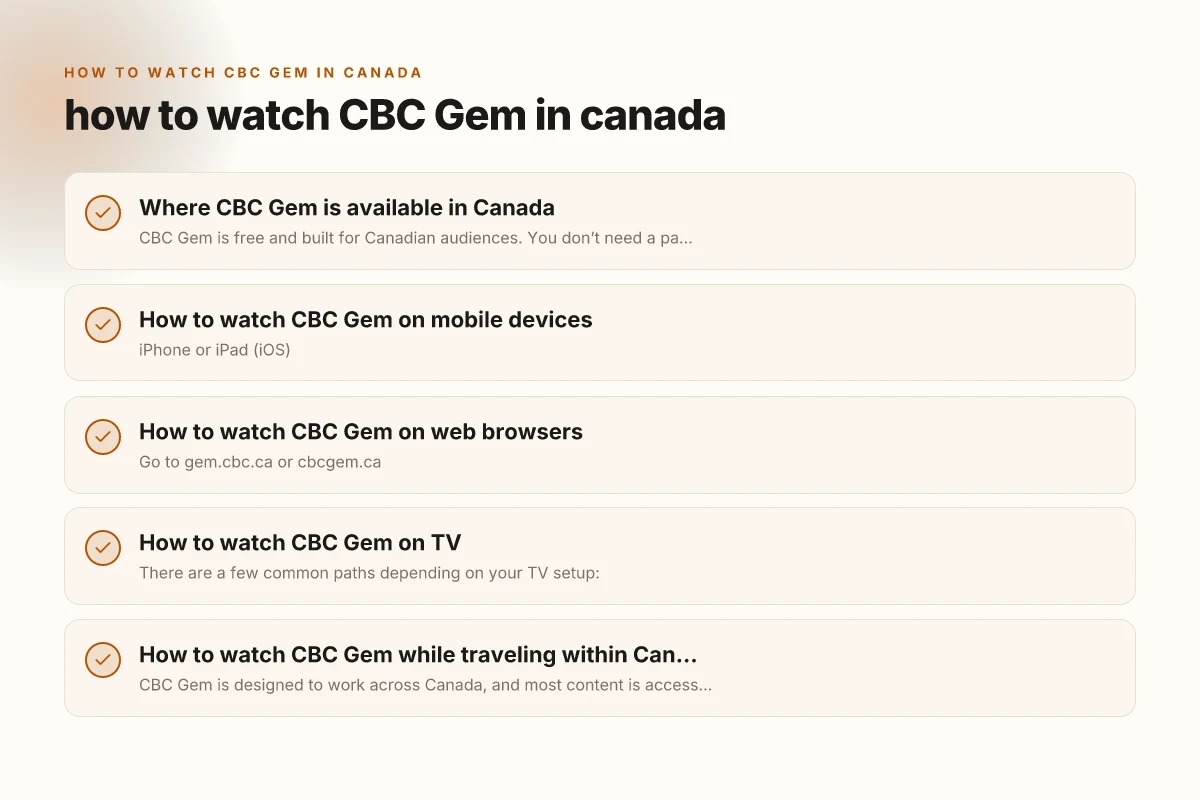
How to watch CBC Gem on mobile devices
- iPhone or iPad (iOS)
- Open the App Store and search for “CBC Gem.”
- Install the app, open it, and either browse content or sign in if you have a CBC account.
- You can watch most content for free without signing in, but signing in may unlock additional features and favorites.
- Android phones and tablets
- Open Google Play, search for “CBC Gem,” install, and launch.
- Explore Free with Ads content and use search to find shows, news, and live streams if available in your area.
Tips:
- Ensure you have a stable internet connection for smooth streaming.
- If you’re traveling within Canada, you’ll still be able to access most content with an active CBC Gem account.
How to watch CBC Gem on web browsers
- Go to gem.cbc.ca or cbcgem.ca
- You can start streaming without an account, browse categories like TV, News, and Sports, and click a show to start watching.
- For a personalized experience (watchlists, favorites, and continued playback), create a CBC Gem account and sign in.
Desktop browsing tips:
- Use a modern browser (Chrome, Firefox, Edge, Safari) for best compatibility.
- If a video doesn’t play, try clearing cookies or disabling ad blockers for the site, then refresh.
- For live CBC News or sports streams, keep your browser up to date and ensure JavaScript is enabled.
How to watch CBC Gem on TV
There are a few common paths depending on your TV setup: How to watch Crave in Canada
- Smart TVs with CBC Gem preinstalled
- Open the CBC Gem app, sign in if needed, and start watching.
- Roku, Apple TV, Chromecast-enabled TVs
- Install the CBC Gem app from the channel/app store.
- Launch the app and sign in if required.
- Streaming devices (Raspberry Pi, Fire TV, Android TV)
- Install CBC Gem from the device’s app store, then stream content.
If you’re unsure whether your TV supports CBC Gem:
- Check the device’s app store for CBC Gem.
- Visit the CBC Gem help pages or search your device’s support site for “CBC Gem on [device name].”
How to watch CBC Gem while traveling within Canada
CBC Gem is designed to work across Canada, and most content is accessible nationwide. A few notes:
- Free, ad-supported content is widely available.
- Live streams and some regional content may vary by location.
- You don’t need a VPN to watch CBC Gem within Canada. A standard internet connection is sufficient.
- If you have a CBC account, sign in on your device to sync watch history and favorites across devices.
How to use a VPN with CBC Gem (important caveat)
Some readers ask about watching CBC Gem from outside Canada. The short answer: CBC Gem is Canada-focused and may restrict access outside the country. If you’re outside Canada and want to access CBC Gem from a device you own:
- Some people use a VPN to connect to a Canadian server, then sign in to CBC Gem as if they were in Canada.
- Note that CBC’s terms of service and content rights can affect VPN usage, and CBC can block or limit access if detected.
- If you’re traveling or temporarily outside Canada, using a VPN may allow access to Canadian content you’re used to, but it can introduce latency or streaming issues.
If you’re inside Canada, you don’t need a VPN. If you’re outside Canada, consider the legal and technical implications, and remember that availability is not guaranteed.
A quick comparison: CBC Gem on devices
| Device/Platform | Access Type | Free content | Sign-in needed for extras | Notable tips |
|---|---|---|---|---|
| iOS (iPhone/iPad) app | App-based | Yes | Optional for extras | Use cellular or Wi-Fi; download for offline viewing (if supported) |
| Android app | App-based | Yes | Optional for extras | Regular updates; check for live TV availability |
| Web (gem.cbc.ca) | Web browser | Yes | Optional for extras | Best for desktop viewing; use bookmarks for quick access |
| Smart TV / Streaming devices | App-based on supported devices | Yes | Optional for extras | Check device store for CBC Gem availability |
| VPN route (outside Canada) | Network routing to Canada | Depends on region | Optional for extras | Use reputable VPN; may violate terms; not guaranteed |
Troubleshooting common issues
- Video won’t load
- Check your internet connection.
- Try a different browser or update your app to the latest version.
- Clear cache or restart the device.
- Content unavailable in your region
- Some content may be restricted by region. If you’re in Canada, this is less common, but checks for service outages in your area can help.
- Sign-in problems
- Verify your CBC account credentials.
- If you don’t have an account, you can often stream content without signing in, but features may be limited.
Quick start checklist
- Confirm you’re in Canada (or using a supported device in Canada).
- Install CBC Gem on your preferred device (mobile, web, or TV).
- Open the app or site, browse to a show, and start streaming.
- If you want more features, create or sign in to a CBC account.
- If traveling outside Canada, be aware of geo-block limitations and VPN considerations.
Recommendation How to watch Sportsnet in Canada
If you’re in Canada and want a straightforward experience, start with the CBC Gem app on your mobile device or use the web portal at gem.cbc.ca. The app is free, easy to install, and designed for quick access to CBC’s library, including news, dramas, and sports. For larger screen viewing, install CBC Gem on your smart TV or streaming device, then sign in to sync your favorites across devices. If you’re traveling outside Canada, plan ahead about access options and be mindful of regional restrictions and terms of service. CBC Gem is a solid free option for Canadian audiences, with broad device support and a simple path to watching CBC content wherever you are in Canada.